
Construction Site CCTV in Kuwait: Solutions for Contractors

Construction sites change as work progresses from excavation and structural building to finishing. A surveillance system for such a project needs an adaptable plan, not a fixed collection of cameras forgotten as soon as building begins. Contractors may manage heavy equipment yards, delivery gates, temporary offices and large work areas, sometimes across several sites. They may also want to monitor progress from a head office. Effective CCTV nevertheless requires workable power, connectivity, recording and mounting locations that do not create hazards, together with controlled viewing permissions. This Deera Eye guide focuses on large contractor projects, changing phases, reusable equipment and the scope of installation, rather than adapting a standard residential camera package.
Where Should a Large Construction Project Start With CCTV?

Begin by defining the monitoring objective. Is the priority recording truck movements, observing a heavy-equipment yard, documenting progress in particular work zones or keeping an authorized record of operational incidents? Each objective needs different camera placement, lens characteristics and recording settings. A gate camera may concentrate on vehicle movements, while one used to follow building progress needs a relatively stable broad view over time. One camera placed high above the site cannot be expected to cover work hidden behind temporary buildings, scaffolding and changing piles of material.
Before equipment is purchased, request a project-phase plan showing gates, electrical supplies, site cabins and heavy machinery areas. Identify which viewpoints will become obstructed when the next floor is completed, the boundary fence moves or a new internal road opens. Camera locations should remain serviceable and not obstruct cranes or emergency access. Appoint a person responsible for technical permits and subcontractor access because uncoordinated cable changes can damage wiring or cause surveillance to fail during an important stage.
• Site risk map: Identify suppliers' movements, machinery areas, stores and locations that will change during successive construction phases, then assign each camera its own purpose.
• Adaptable design: Avoid installing equipment where future scaffolding or building work will block the scene, and prepare alternate mounting routes as the site develops.
• Safety coordination: Approve drilling, electrical work and high-level installation with site management so surveillance hardware never obstructs essential work.
Using CCTV to Monitor Construction Progress
Progress monitoring is different from conventional security coverage. A project manager may need a broad view showing whether activity continues in a particular sector, while security or safety staff may need a closer scene of entry to a controlled zone. Do not expect one camera to provide both a consistent project-wide time sequence and detailed identification of every individual and vehicle. Some relatively stable positions can show structural progress over time. Video, however, does not replace certified progress reports, engineering inspections or formal quality records.
Recorder time and date settings must be accurate so footage can be matched to work days and deliveries. If periodic still images or time-lapse summaries are required, confirm that the cameras and software actually support them instead of assuming every NVR provides those functions. Decide who may view the site and download clips, especially when recordings include employees, subcontractors and operating information involving several parties.
A structured list of channels can make remote monitoring easier. Names such as “North Gate,” “Equipment Yard” and “Main Structure” help managers distinguish locations at a glance, but the list should be updated when work moves. Clear channel naming becomes particularly important when a head office supervises several active sites at once.
• Progress perspective: Choose a reasonably stable view that produces images that can be compared between construction stages.
• Information accuracy: Treat recordings as supporting evidence rather than a substitute for formal completion or engineering-quality verification.
• Access and rights: Assign project viewing and export rights according to actual responsibilities instead of sharing an administrator login among all teams.
Cameras for Heavy Machinery and Equipment Areas
Heavy-equipment zones require careful mounting because cranes, excavators and truck routes change and can strike hardware or cable runs. A camera should show a useful parking area or controlled entry point without entering a crane's movement radius or exposing the device to loading impacts. Storage locations may also move as the work schedule changes. The design should therefore allow safe repositioning without encouraging unsafe climbing or work at height.
A single distant camera is unlikely to show detailed activity around every machine in a large yard. Decide whether the requirement is to understand overall movement or document vehicles passing a specific exit. Lighting can vary dramatically across a site: temporary floodlights may illuminate some work areas while machinery casts deep shadows over others. Test the scene in real conditions instead of relying only on the product specification. Dust, vibration and heat also make correct operating ratings and protection for junction boxes and connections important.
Surveillance cables should be routed away from vehicle paths or inside suitable protective structures designed for site conditions. Network and electrical boxes must be protected against tampering, dust and water. None of this replaces site safety procedures or supervision; CCTV provides monitoring and documentation, not physical control of moving machinery.
• Mounting height: Protect the camera from impact while preserving a safe method for future servicing.
• Operational testing: Test the scene with ordinary machinery movement in daytime and, if work continues after dark, under actual floodlighting.
• Cable protection: Do not leave unprotected wiring across truck routes, lifting areas or cutting operations.
Temporary CCTV During the Contractor's Work
A camera may be needed in one section for several weeks and then transferred to another building. Reusable mounts, organized junction boxes and appropriate cabling can support this approach. Yet “temporary” should never mean improvised or unsafe. Power sources and cable paths still need protection against impact and weather. When a camera moves, record its new position and the transfer date so historic footage is not mislabeled under the wrong location.
If a bracket is fixed to a temporary structure, verify the stability, wind exposure and installation constraints. Camera work must not compromise scaffolding or safety barriers.
Watching Construction Cameras From the Head Office
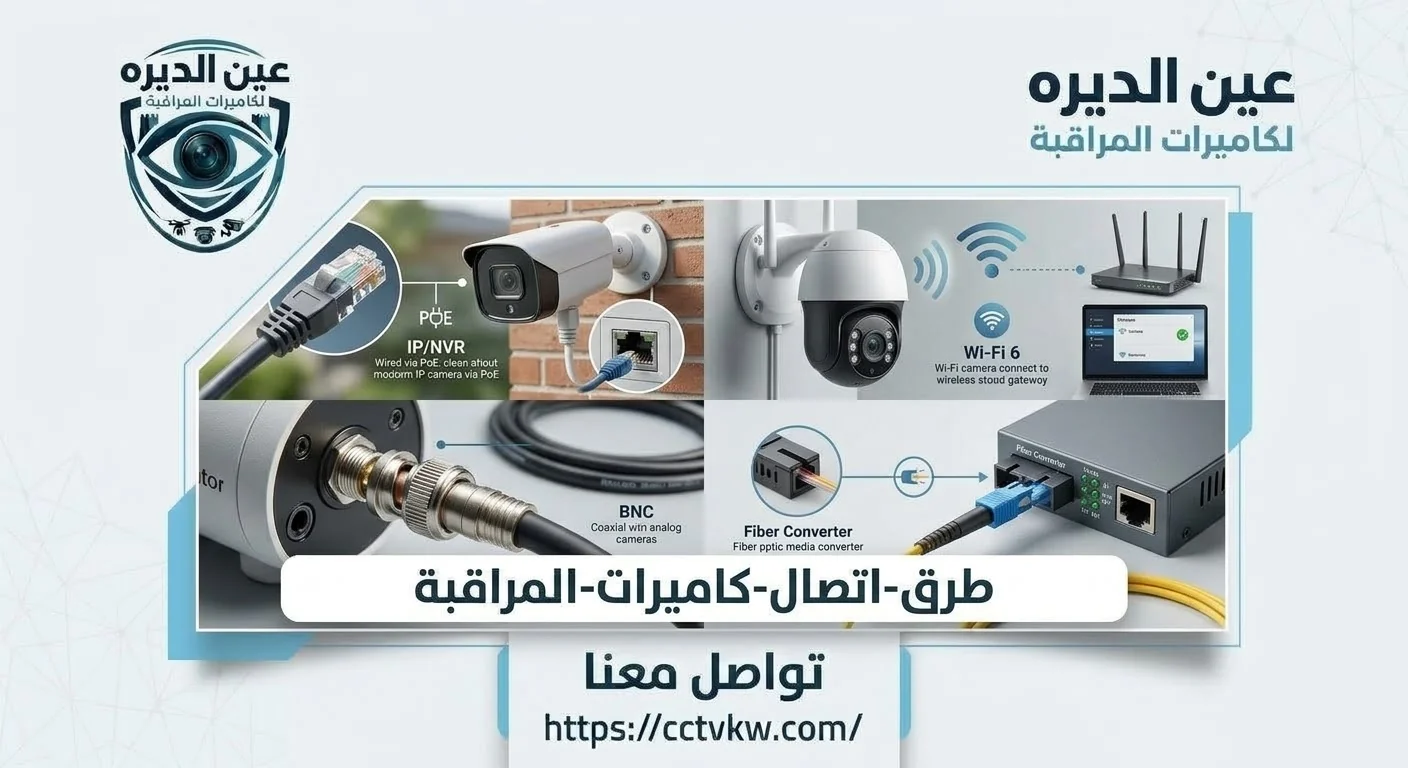
Remote viewing needs a secure, reliable connection at the construction site and appropriately managed accounts. Local recording may continue if the internet goes down, while head-office viewing becomes unavailable. Test the site's own connection instead of relying on the internet speed at headquarters. Decide who owns the account and which staff may access each project.
Where the contractor has an IT department, coordinate supported remote access or secure network arrangements with that team. Avoid casually exposing administrative services to the internet. Managers should understand the difference between loss of a remote picture and loss of local footage.
Monitoring Several Construction Sites at Once
With multiple projects, each site needs a clear name, equipment register and authorized user list. Recordings from different sites should not be mixed or exposed through unnecessarily broad account privileges. A unified viewing display may be useful, but its performance depends on network capacity, software capability and recorder compatibility. When central connectivity fails, check local recording at each site separately rather than assuming every location stopped working.
Consistent naming and incident reports make operations easier, but each project must retain its own coverage map. A tower construction site is not laid out like a road project or an industrial storage complex.
Portable CCTV Systems That Move Between Projects
Planning equipment reuse can reduce unnecessary repeated purchases, but only when the devices remain in good condition and fit the next location. Identify removable brackets, suitable reusable cables and safe methods for disconnecting power. Preserve important recordings before moving a recorder. After relocation, do not assume that former network, clock and storage settings match the new site.
Handover between projects should include a device inventory, mounting accessories and account ownership records, followed by new image and recording tests. Batteries and portable communications equipment must be stored and transported according to their manufacturers' requirements.
Power and Recording Design on Contractor Sites
Some projects begin with temporary electrical supplies before permanent infrastructure becomes available, and outages may occur as utilities are connected. Each device needs safe, suitable power arrangements, with electrical work performed by qualified personnel rather than through improvised modifications. For PoE cameras, check the switch's total power budget and the cable specifications; an empty Ethernet port alone does not prove enough power is available.
Storage retention depends on camera count, bitrate, recording method and drive capacity. Where a project falls within a regulated facility category, confirm the applicable rules and retention requirements with the Kuwait Ministry of Interior's security systems authority rather than assuming one period applies to every project type.
What Affects Construction Site CCTV Installation Cost?

Project area, gate count, mounting heights, changing work phases, electrical supply, network routes and communications availability all affect the scope. Reusable equipment and centralized multi-site monitoring can introduce additional design considerations. Ask for a proposal that distinguishes hardware, mounts, protection, configuration, recording tests and future relocation work if that is required, so offers can be compared fairly.
Some devices may be reusable, but that should be confirmed by inspection rather than assumed. Relocation also needs an alternative coverage plan if an active project phase would otherwise be left without monitoring.
Installation and Handover With Project Management
Start by approving the map of gates, machinery areas and scheduled construction phases. Coordinate installation dates with the safety manager and relevant subcontractors. Once equipment, cable routes and power are selected, mount and test the cameras, network connections and recording. Configure viewing accounts and supply a site plan that can be updated. The project team should know how to report a damaged camera point when work shifts into another area.
Use an ordinary activity such as a truck delivery or vehicle movement to test whether the correct video can be found by location and time. Review any foreseeable changes that may require equipment relocation during the next phase.
What Information Should a Contractor Send to Deera Eye?
Prepare the number of active projects, each site's approximate area, gates, temporary offices, equipment zones, available power and communications. Explain whether management needs head-office viewing or primarily local recording, and whether devices should be transferred after completion. Contact Deera Eye to discuss the system scope. A single home under construction generally needs a different solution from a large commercial contractor managing several sites, and the latter should not be copied into a small residential project.
Conclusion
Construction site CCTV helps contractors document and monitor activity when it is designed around the work phases, truck entrances, equipment zones, power and storage. The installation should remain adaptable and portable without compromising safety, account control or recorded footage. Request a clearly mapped, maintainable system rather than a large collection of cameras without defined purposes. For one substantial project or several active sites, discuss the requirements with Deera Eye.
Frequently Asked Questions
Can temporary cameras be installed on a large project?
Yes, when mounts, power and cables are safely designed and equipment can be relocated as construction progresses.
Can I view several construction sites from my office?
Potentially, when devices and networks support secure connectivity and suitable permissions, with local recording checked at each site.
Can CCTV replace an on-site safety supervisor?
No. It supports monitoring and documentation but cannot replace site supervision, safe working practices or engineering inspections.
Can the same cameras be used on different projects?
Functional, compatible equipment may be reused after inspection and reconfiguration for the new site's network and recording needs.
What matters most when filming heavy equipment?
Mounting away from crane movements and impact hazards, protected cabling and tested image coverage during actual operations.
Need this service?
Recorder & Storage Installation ←