
Wi-Fi Security Cameras in Kuwait: Setup and Prices

Wi-Fi security cameras in Kuwait can suit apartments and homes where running an Ethernet cable to every camera is inconvenient. Yet wireless data does not automatically mean wireless electrical power. Reliable coverage at the installation point is more important than the router's signal beside the living-room sofa. Before buying, identify the available power supply, recording method and what happens when internet access stops. This guide helps you compare options and plan a suitable installation with Deera Eye.
Direct answer: choose equipment and placement from the property requirements first, then request an itemized price covering hardware, cabling, setup and testing. Do not depend on a vague package total or unspecified warranty terms, and verify compatibility before approving a Deera Eye proposal.
Before mounting a Wi-Fi camera, test coverage in the chosen corner with interior doors closed. Consider whether network credentials change often. This simple exercise reveals whether the limitation is the mounting point or router and reduces the risk of buying capabilities you cannot use.
Wi-Fi Security Cameras in Kuwait
A Wi-Fi camera should be evaluated at the exact mounting point, not beside the router. Concrete walls and distant corners weaken coverage. Check connection quality during busy household usage, not only during a single quiet test.
Internet speed alone does not prove Wi-Fi stability; examine signal strength and interference in the actual rooms.
First define the outcome this part of the project must deliver: useful footage, stored video, an alert or convenient daily operation. Different priorities change equipment choice, placement and cost. Discuss a realistic scenario at the property rather than relying on a specification sheet alone.
When is this option suitable?
• Identify the area or function that matters
• Check safe access to the installation point
• Test during real operating conditions
Installing Wireless CCTV Cameras
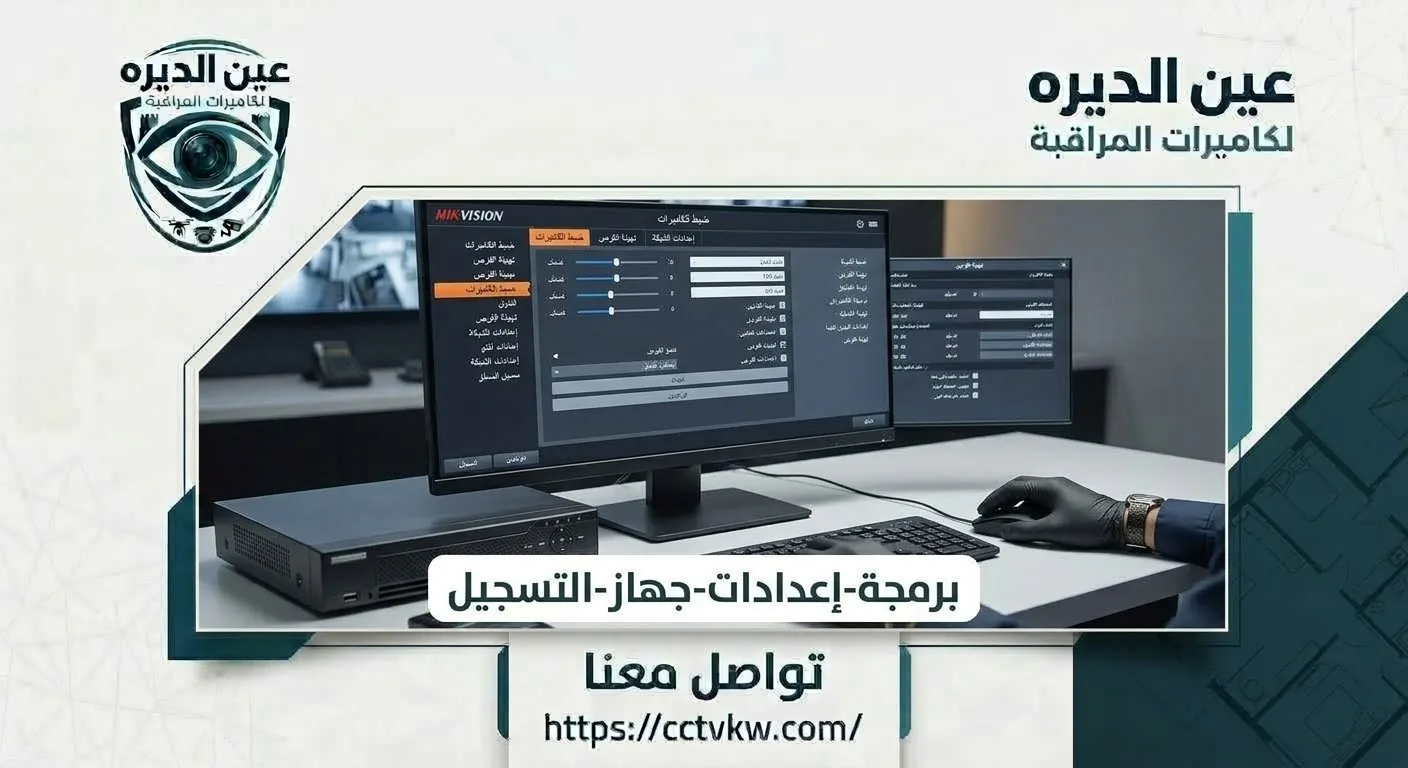
Wireless camera installation can reduce data cabling but often still requires a nearby power outlet. Plan safe electrical access and avoid improvised extension leads near moisture or kitchen work areas.
Near curtains or moving objects, motion alerts can become noisy; test placement before final mounting.
Ask for written details covering model numbers, quantities, mounting method, required materials and any additional accessories. Two prices cannot be compared fairly until their components match. A precise description makes it easier to identify what will be delivered and what is excluded.
What should the quote show?
• Request model numbers, not only illustrations
• Match quantities and recording or connection methods
• Know what is included and what costs extra
Home Wi-Fi Camera Prices
Home Wi-Fi camera prices vary with resolution, lens design, local or cloud storage, motorized movement and alerts. Compare upfront hardware expense with potential subscription charges rather than treating the camera sticker price as the total cost.
With memory-card storage, verify that saved footage can actually be retrieved, not only watched live.
Reserve time for a real-site functional test rather than accepting a brief power-on demonstration. Reproduce the situation that justified the purchase, check the result on the display or phone and review any necessary recording. Retain model information and important configuration details securely.
How should it be tested?
• Test on the intended phone or monitor
• Run a realistic daily-use scenario
• Check stored footage or an alert if relevant
Cameras That Work Over Wi-Fi
Not every Wi-Fi camera supports continuous recording. Some save motion clips to a memory card, while others use different storage arrangements. Understand exactly where footage is kept and whether recording continues during an internet outage.
Include any optional cloud subscription costs in the first-year budget rather than comparing hardware alone.
Costs can change because of cable distance, site preparation and accessories, not just product labels. Clarify whether reusable infrastructure exists or finished surfaces require special routing. Any additional scope should appear in the quotation before work begins.
Where can costs increase?
• Clarify cable lengths and routes before booking
• Verify a safe electrical supply
• Approve any additional work in writing
For the service scope related to this purchase, see the relevant internal service page below. Prepare photos of the site and any existing model information. Request a quote listing models, quantities and installation details rather than comparing an unrelated package.
Internal link: Home CCTV solutions
Cameras Without Ethernet Cabling
A camera without an Ethernet cable is not necessarily cable-free. In a finished apartment, inspect power cable length, socket position and suitable mounting options before choosing the final location.
Outdoor cameras need suitable environmental ratings and protected power connections even when data is wireless.
Review specifications, accessories, actual warranty coverage and how accounts or files will be handed over. If the system uses an app or ongoing storage service, ask about recurring costs. Do not rely on verbal promises about features absent from the selected model.
What should be confirmed before payment?
• Verify device and accessory compatibility
• Review product and installation warranties separately
• Retain purchase records and account ownership
Cost of Installing Indoor Wi-Fi Cameras

Installing an indoor Wi-Fi camera involves secure mounting, application configuration and a network assessment. The chosen device may be suitable, but adding a safe power point can change the installation scope.
Choose a location where the power lead can be routed neatly without creating a trip or strain hazard.
Organized cabling, protected connections, appropriate configuration and clear account ownership simplify maintenance. Keep a basic device-location map and request concise instructions for router changes or electrical interruptions.
How can future problems be reduced?
• Protect connections from unsuitable exposure
• Assign responsibility for maintenance
• Keep a support route for outages
Wi-Fi Cameras With Memory-Card Recording
Wi-Fi cameras recording to a memory card require compatible media, sufficient capacity and a clear overwrite policy. Retrieve a test clip in the app so you do not discover later that an alert arrived without usable saved footage.
Confirm whether a memory card is included or bought separately and whether its capacity is supported.
Compare practical performance under similar viewing distance, lighting or connectivity rather than marketing headlines. Differences may emerge at night, with multiple users or during playback. Identify two or three decision-making tests before choosing.
How should similar options be compared?
• Compare equipment under similar conditions
• Confirm genuinely supported features
• Compare post-purchase operating costs
Apartment Wi-Fi Setup Without Ethernet
Installing apartment Wi-Fi cameras without Ethernet can be convenient, but network design remains important. If distant rooms have weak reception, improving wireless coverage may help more than immediately replacing the camera.
If corridor Wi-Fi is weak, inspect router or access-point placement before replacing a suitable camera.
The home or business owner should retain administrator access without permanent dependence on a technician account. When several people use the system, apply available permissions according to actual needs. Account control is an essential part of handover.
Who should operate and manage it?
• Use least-needed access permissions
• Do not expose device codes or administrator passwords
• Know how to revoke user access
Ensuring Reliable Wi-Fi Camera Coverage
The best Wi-Fi coverage is stable at every camera while other household devices are online. Position access points appropriately, and document how cameras are reconnected if the network name or password changes.
Document the reconnection procedure for future router or password changes without losing owner-account control.
Specifications are a starting point, while real conditions determine usefulness: light, height, walls, distance and movement. Request a relevant demonstration or inspect performance at your property. Avoid expecting identical results under every condition.
What differs between claimed and real performance?
• Test daytime and nighttime conditions when relevant
• Do not assume resolution solves every issue
• Document limitations observed during testing
Internal link: CCTV installation
Will Wi-Fi Cameras Work Without Internet?
Whether a Wi-Fi camera works without internet depends on the model, power and recording method. Some continue local recording while remote viewing stops; others depend on specific online services. Confirm the actual behavior before relying on it.
Safely test a brief internet interruption and recovery to see what keeps recording and how the app reconnects.
Before completion, review which channels or devices were commissioned, which tests passed and any unresolved items. Confirm equipment locations, account ownership and the route for obtaining support. Keep a simple inventory of installed components.
What should handover include?
• Obtain the final model and component inventory
• Test playback, door control or alerts as applicable
• Keep actual support and warranty details
Additional Decisions Before Requesting Service
Wireless Cameras With Mobile Live View
Mobile viewing depends on a supported app and reliable internet. Local recording and external access are separate functions, so test both independently after configuration.
Before approving this part of the project, explain the actual location, quantity and any existing infrastructure. Ask whether it needs extra hardware, cabling or configuration, and how the result will be tested after installation.
Comparing Wired and Wi-Fi CCTV in Kuwait
This requirement depends on installation routes, existing equipment and site needs. Discuss wi-fi security cameras in kuwait: setup and prices with the technician and request components, compatibility and testing scope in writing rather than relying on a package label alone.
Before approving this part of the project, explain the actual location, quantity and any existing infrastructure. Ask whether it needs extra hardware, cabling or configuration, and how the result will be tested after installation.
Service Planning and Installation Steps
• Define priority entrances, locations and functions before choosing models so pricing is based on real requirements.
• Review mounting access, power, network and existing routes, documenting constraints that can change installation scope.
• Select compatible devices and provide a written schedule of quantities, accessories, storage and possible expansion.
• Install equipment neatly, protect connections and configure user accounts and passwords under owner control.
• Test live footage, calls or alerts as appropriate, and retrieve a saved clip if recording is part of the system.
• Hand over an equipment list, basic settings, written terms and clear operating and maintenance instructions.
Prices and Factors Affecting Total Cost

The installed cost of wi-fi security cameras in kuwait: setup and prices depends on models, quantities, cable distances, site conditions and any recording or app requirements. Compare hardware separately from preparation, mounting, configuration and testing. Obtain actual Deera Eye pricing in an itemized written offer rather than publishing an unverified amount as though it were the company’s price.
Quotation review table:
|
Item |
Details to confirm |
|
Hardware |
Models, quantities and specifications |
|
Installation |
Mounting, accessories and cable routing |
|
Configuration |
Setup, phone connection and acceptance tests |
|
Storage or app |
Drive, memory, monitor or subscription when needed |
|
Warranty |
Documented duration, coverage and exclusions |
For an accurate purchase decision, provide the property location, equipment quantities and preferred models if known. Ask for confirmed line-item pricing instead of relying on generic online figures; the services and contact pages are linked below.
Internal link: Contact Deera Eye
Practical Questions Before Buying
Do Wi-Fi CCTV cameras need power?
Usually yes, because Wi-Fi describes how data travels rather than how electricity is supplied. Some products need a nearby adapter while battery-powered models have different charging and recording constraints. In a finished apartment, inspect outlets, lead length and safe cable routing before choosing the device. Avoid unsafe extension wiring or exposed leads near water. Make the power arrangement explicit in the installation quote so a supposedly cable-free purchase does not create unexpected electrical work.
How can repeated Wi-Fi camera disconnections be reduced?
Measure wireless connectivity beside the camera and note when outages occur. If interruptions coincide with heavy household use, review access-point placement, interference and coverage. Also check stable power and compatible official firmware. Replacing the router or camera should not be the automatic first step. Change one variable at a time and retest live viewing, alerts and saved footage over several sessions. This approach identifies whether the problem is wireless, electrical or application-related.
Can a Wi-Fi camera record without internet?
Some cameras keep writing to a local memory card during an internet outage if power remains available and the model supports this behavior, but off-site viewing is commonly affected. Other products rely on cloud services or different storage arrangements. Check the exact model manual and run a safe temporary disconnection test. When internet service returns, confirm whether footage from the outage period exists and timestamps remain correct. Do not accept a universal claim without testing the camera you intend to use.
Frequently Asked Questions
Do Wi-Fi cameras need electricity?
Most need electrical power unless the model uses a battery or another specified power source.
Will they record without internet?
Local recording may continue depending on model and settings, while remote viewing is interrupted.
Are they suitable for finished apartments?
They can reduce data cabling, but safe mounting and power are still required.
Is Wi-Fi better than wired CCTV?
It depends on your needs, wireless stability and camera positions, not a universal rule.
Is a monthly subscription necessary?
Some cloud storage services require subscriptions; local storage options vary by device.
Conclusion and Requesting Service
Wi-Fi CCTV is useful when flexible placement and smartphone access matter, but network quality and recording design matter more than a wireless label on the box. Before ordering, check power, signal coverage, storage, app requirements and possible subscriptions; compare a wired design when stability is the priority. Ask Deera Eye for an itemized setup proposal and insist on testing live and recorded footage at the installed positions.
Before commissioning the work, define the site priorities and confirm hardware, installation scope and written warranty conditions. Contact Deera Eye through the linked contact page or review the matching service page. Keep the accepted quotation so the final installation and tests can be checked against it.
Internal link: Contact Deera Eye
CCTV Maintenance Contracts
CCTV Programming & Mobile Setup
Recorder & Storage Installation
CCTV Programming & Mobile Setup
Need this service?
CCTV Installation ←